Open Nova
Nova runs in your desktop browser. There is nothing to install and you do not need an account to try it.
Open NovaNew to Syrinscape?
Start with Syrinscape Nova—the quickest, easiest way to add music, ambience, creatures, weather and effects to your game, then adjust the sound as your story unfolds.
Explore a generous library free—no account needed. When you’re ready, SuperSyrin unlocks the complete Nova library and everything else Syrinscape.
Nova opens in your desktop browser. No account needed.
*Your first month of SuperSyrin is 50% off. Then US$12.99/month—or the best deal available for your account. Cancel anytime.
You can have your first useful scene playing in a few minutes. You do not need to learn the whole Syrinscape ecosystem first.
Nova runs in your desktop browser. There is nothing to install and you do not need an account to try it.
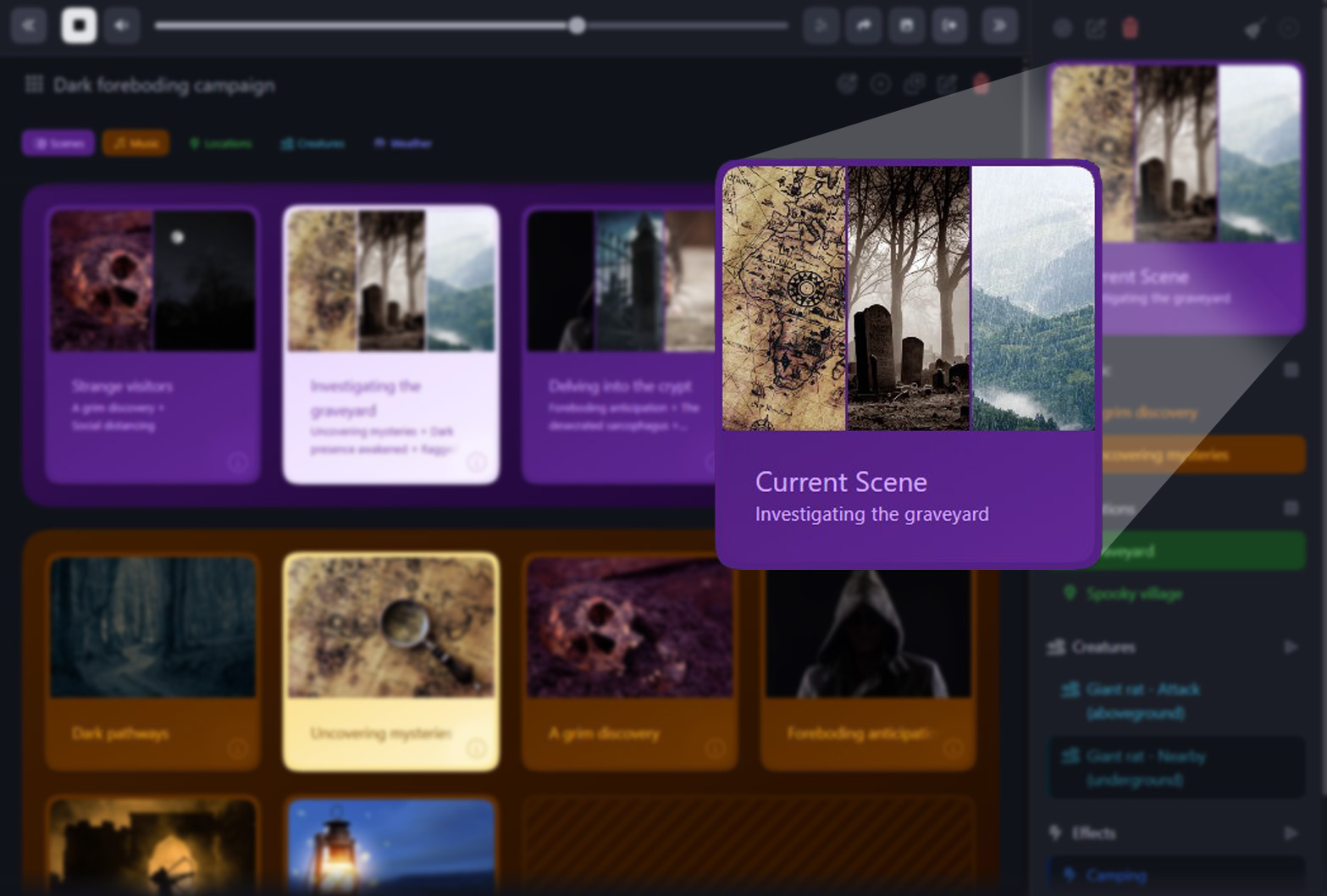
Open NovaChoose a location, add music, then bring in creatures, weather and effects whenever the story calls for them.
Bring in new creatures, vary the weather—or change the music—without stopping the rest of your scene.
Playing online? Use Share Audio to send your players one simple listener link. They open it in their browser—no account or installation needed—while you remain in control of the sound.
Open Nova and build your first sceneNova is the easiest place for most Game Masters to begin. Tell us how you play and we’ll recommend one alternative when you need it.
Whichever Syrinscape player suits your game, SuperSyrin unlocks everything Syrinscape.
Then US$12.99/month—or the best deal available for your account. Cancel anytime.
Choose the guide that matches what you want to do. Each playlist takes you through the complete workflow at your own pace.
Start a responsive scene and change it as your story unfolds.
Control Syrinscape while every remote player hears the same high-quality mix.
Take your content to the table—even when the internet cannot come with you.
Official SoundSets become easy to find after you organise them into a campaign.
Ready for a much deeper dive? Learn to upload your own samples and author original SoundSets like a Syrinscape pro in our content-creation tutorial playlist—when you’re feeling brave.
No. Open Nova and try a generous selection without an account. You can also try free content in the Web, Fantasy and Sci-Fi Players.
Everything Syrinscape: all official content, Syrinscape Originals and Community Content, plus the SoundSet creation tools and server storage.
Yes. Use the Fantasy Player or Sci-Fi Player on iOS or Android. Nova currently runs on PC and Mac.
Yes. Nova includes Share Audio, and the Web Player is also designed for online play.
First add or import the adventure into your account. Then use the Web Player for online games, or the Fantasy or Sci-Fi Player for mobile, in-person or offline playback. See the D&D guide or Pathfinder guide, or watch the Campaign Manager tutorial above.
Yes. Use the Web Player’s Master Interface to upload samples and author your own content, then play it through the Web, Fantasy or Sci-Fi Player. See the content creation tutorials.
When you are signed in, Nova Soundboards and Scenes are stored on Syrinscape’s servers. Your latest saved setup loads when you sign in on another device.
Use the quick-start lessons above, email Syrinscape Support, or ask the community on the Syrinscape forum.
Open Nova now and build your first scene for free. When you are ready for the complete Syrinscape library—including official content across Syrinscape’s Players—unlock it all with SuperSyrin.
*Your first month of SuperSyrin is 50% off. Then US$12.99/month—or the best deal available for your account. Cancel anytime.